
Technical Support Assessment: A Real-Work Exercise for Hiring
A customer cannot log in after a password reset. The ticket, the account log and the security procedure disagree, and a team lead is one message away. This is a fictional illustration of the exercise Calavion would build with you.
Try CalavionWhat is a technical support assessment?
A technical support assessment is a way to check whether an applicant can do technical support work before you hire them. Common formats are knowledge tests, troubleshooting scenarios, hands-on practical tests, role-play and interviews.
Calavion takes a practical approach. Working with a company, Calavion would turn a support case your team has already handled, such as a customer who cannot log in after a password reset, into a controlled exercise. The applicant would read the ticket, the account log and the security procedure, ask the customer in plain language and decide whether to unlock, verify or escalate. You would then review a Replay: a record of what was available, what they did and wrote, what changed and what stayed open.
You will also see the same idea called a technical support skills test, help desk test, IT support assessment, service desk assessment or technical support job simulation. These terms are often used interchangeably, but they measure different things: some check technical knowledge, some check what applicants say they would do, and some let applicants do practical work.
What sets Calavion’s approach apart is the case. It would be your own handled support case, you would approve the exact version, and you would read a Replay of what the applicant did and wrote.
Can you use Calavion for technical support assessments today? At a glance
- Best suited to
- Technical support handled in writing through tickets, chat and email, where a procedure limits what can be done.
- What applicants would do
- Read a ticket, a log and a procedure, ask the customer a clear question and decide what to do next.
- What employers would review
- A Replay of what was available, what the applicant did and wrote, what changed and what stayed open.
- What it does not do
- Run live systems or hands-on fixes, assess calls or screen-sharing, score or rank applicants, or claim to predict job performance.
- Status
- Not built yet. No technical support exercise has been built or run. Calavion builds each case with the company.
What would a real-work technical support assessment look like? Example: a login that will not work
It is 4:40 PM. A customer cannot log in after a password reset. The ticket says the reset worked, the account log shows two failed sign-ins and a locked account, and the security procedure requires an identity check before an account is unlocked. The applicant decides what to check, what to ask the customer and when to involve a team lead.
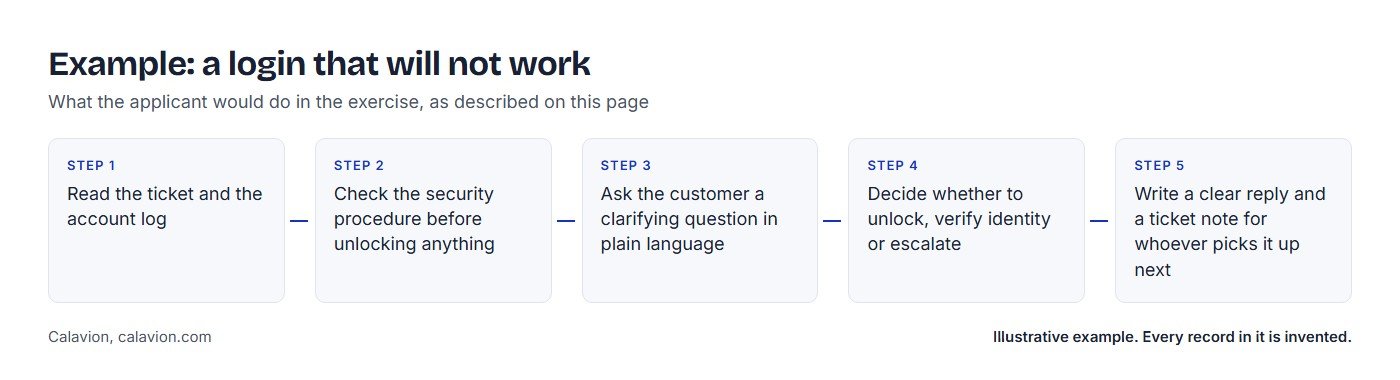
The applicant would
- Read the ticket and the account log
- Check the security procedure before unlocking anything
- Ask the customer a clarifying question in plain language
- Decide whether to unlock, verify identity or escalate
- Write a clear reply and a ticket note for whoever picks it up next
Each choice leaves the ticket in a different state: an account unlocked without a check, a customer left waiting without an update, an escalation with no notes. The employer would read the decisions, messages and action sequence in Replay.
This is an illustrative example. The customer, the company and every record are invented.
Why should companies assess technical support agents before hiring?
Technical support work is judged in the moment: what an agent checks, what they ask and what they write. A resume lists past roles and tools, and an interview describes past behaviour. Neither directly shows how an applicant handles a customer who is waiting, logs that disagree and a procedure that limits what can be done. An assessment gives the company something observable to review before making an offer.
How would Calavion assess technical support skills?
Calavion is a real-work hiring platform. For technical support, Calavion would prepare a controlled exercise from a case your team has handled. Applicants would read records and write messages inside it, and you would read a Replay of what they did. You make the hiring decision.
- Bring one case. Choose a support situation your team has already handled.
- Calavion prepares it with you, by hand. Calavion reviews the material and replaces identifying details.
- You approve the exact version before any applicant sees it.
- Applicants work the case. They use an invite link, with no account, and work through records and written threads.
- You read Replay and decide. Replay shows what was available, what the applicant did and wrote, what changed and what stayed open.
What types of technical support assessment are there?
Employers combine several methods. This table shows what each one checks and where it stops.
| Type | What it checks | Strength | Limit |
|---|---|---|---|
| Knowledge test | Operating systems, networking and ticketing concepts | Quick to give and compare | Shows knowledge, not behaviour |
| Situational judgment test | Chosen answers to troubleshooting scenarios | Standard scenarios are easy to compare | Shows what applicants say they would do |
| Hands-on practical | Fixing a mock problem in a sandbox or virtual machine | Close to the technical task | Takes setup and may favour one platform |
| Live troubleshooting role-play | A rater plays a user with a problem | Shows questioning, tone and composure | Hard to repeat the same way for every applicant |
| Ticket-handling simulation | Triaging and answering a queue of tickets | Shows prioritising and writing | Often generic, not your systems or procedures |
| Writing sample | Explaining a technical issue to a non-technical user | Shows clarity and plain language | Does not show decisions |
| Work sample | A task taken from the job | Job relevance depends on how well the task represents the role | Takes time to design |
| Structured interview | The same questions for every applicant | Consistent and easy to run | Asks about past or hypothetical situations; does not show work being done |
| Calavion real-work exercise | Your own handled support case in a controlled environment | Observable actions, messages and consequences | Not built yet for technical support; written cases only; no automatic scores |
For the full method comparison, read work samples, job simulations, take-homes and real-work hiring.
Which technical support assessment should you use?
These are common pairings, not rules. Most teams use more than one method, and the right choice depends on the role.
| Hiring need | Commonly suitable method | What it can show | What it cannot establish |
|---|---|---|---|
| Phone or remote-session support | A live troubleshooting role-play, plus a hands-on practical | Questioning, composure and plain spoken language | Written follow-through and ticket notes |
| Written ticket or chat support | A written work sample or realistic ticket case | Reasoning in writing, plain language and documentation | Hands-on skill in a live system |
| Technical depth roles | A hands-on practical in a sandbox | Technical accuracy | Communication with customers |
| High-volume hiring | A short knowledge test as a first filter, then a practical exercise for a shortlist | Basic knowledge at scale | What the applicant does with a real support problem |
| Triage and escalation | A job simulation built on real tickets | Prioritising, judgment and escalation notes | Performance beyond the cases you chose |
| Any technical support role | A structured interview with the same questions for every applicant | Experience and how applicants explain their decisions | Work being done now |
How is a real-work technical support assessment different from a technical support skills test?
A technical support skills test, the kind sold in many assessment libraries, usually asks multiple-choice or scenario questions and scores them against an answer key. It is quick to give and easy to compare, and it shows what an applicant knows or says they would choose. A real-work technical support assessment, also called a technical support job simulation or work sample assessment, shows what the applicant does with a case from the job. Many teams use both: a short test early, and a practical exercise for the shortlist. Calavion offers only the second. See what a job simulation is and work sample or skills assessment test.
Which skills should a technical support assessment cover?
A useful assessment looks at the skills the job actually uses. Each skill below shows what it looks like in real work and what an employer would see in a Replay. Replay does not rate any trait. It shows the wording and the sequence of actions, and the employer interprets them.
| Skill | What it looks like in real work | What the employer would see in Replay |
|---|---|---|
| Scoping before fixing | Establishing who is affected and what has changed before acting | The records and messages available, and what the applicant asked or checked first |
| Troubleshooting method | Ruling out causes in a sensible order | The sequence of checks the applicant made, and what they did next |
| Procedure and security | Following the procedure, such as verifying identity before an unlock | The procedure that was available, and any action that went against it |
| Plain-language communication | Explaining the issue without jargon and confirming the customer understood | The messages the applicant wrote, word for word |
| Documentation | Leaving a clear ticket note for the next person | The note the applicant left, and what it covered |
| Prioritisation and triage | Judging urgency and impact | What the applicant did first, and what they left |
| Escalation judgment | Knowing when to involve a team lead, and what to include | Whether and when the applicant escalated, and what they said |
| Ownership and follow-through | Leaving a clear handover when work is unresolved | Outstanding responsibilities and the final state of the ticket |
Which technical support tasks can an assessment cover?
Technical support happens by phone, chat, email, tickets and remote sessions, and often involves fixing something. Written tasks can be assessed from the text alone. Calls and hands-on fixes need other methods.
| Task | How it is usually assessed | Calavion today |
|---|---|---|
| Phone support | Live role-play with a rater | Not covered. Calavion does not record voice |
| Remote-session or screen-share support | Live role-play or a hands-on practical | Not covered. Calavion does not record screens |
| Hands-on technical fixes | A practical in a sandbox or virtual machine | Not covered. Calavion does not run live systems |
| Live chat | Written exchange or simulation | Same written shape, but not built yet. Built with the company |
| Email and tickets | Written reply or ticket-handling simulation | Same written shape, but not built yet. Built with the company |
How do you assess hands-on skills and live troubleshooting?
Calavion does not cover these, so you would use another method. These are common ways to assess them alongside a written exercise.
| Skill area | What a good test contains | Common method |
|---|---|---|
| Hands-on technical skill | A small practical with a fixed time limit and an agreed correct fix, the same for every applicant | A sandbox or virtual machine task |
| Live troubleshooting | A scripted user problem with hidden facts that the applicant must find by asking | Role-play with a rater and a short rating guide |
| Systems and tools knowledge | Questions tied to the platforms in your environment | A short test using your own tools |
| Written explanation | A short explanation of a technical issue for a non-technical user | A writing sample |
What a rater listens for in a troubleshooting role-play
| What to listen for | Evidence that supports it | Evidence that raises a question |
|---|---|---|
| Scoping | Asks who is affected and what changed before suggesting a fix | Jumps to a fix without scoping the problem |
| Questions | Asks short, clear questions and listens to the answers | Asks several questions at once or ignores the answers |
| Plain language | Explains in terms the user understands and checks they followed | Uses jargon or talks past the user |
| Composure | Stays calm and patient with a frustrated user | Becomes defensive or hurried |
| Closing | Confirms the fix, the next step and who owns it | Ends without confirming the problem is solved |
Which technical support roles can you assess this way?
Every role below needs its own case, which Calavion prepares with the company.
| Role | What the work involves | What to assess | Fit with Calavion |
|---|---|---|---|
| IT support specialist | Resolving staff technology problems | Scoping, plain language and documentation | Built with you |
| Help desk agent | Answering and triaging support requests | Triage, procedure and ticket notes | Built with you |
| Service desk analyst | Handling incidents and requests under service rules | Following procedure, prioritising and escalating | Built with you |
| Technical support engineer | Diagnosing customer product problems | Troubleshooting method and clear explanations | Built with you |
| Desktop support technician | Supporting devices and software on site | Diagnosis, security procedure and follow-through | Built with you |
| Application support analyst | Supporting a business application | Reading logs, reasoning and escalation notes | Built with you |
| SaaS technical support agent | Supporting customers of a software product | Plain-language answers and procedure adherence | Built with you |
| Technical support team lead | Coordinating agents and escalations | Prioritising, handling escalations and updating agents | Built with you |
| Technical support agent by phone | Mostly voice troubleshooting | Questioning, composure and verbal clarity | Not covered: voice needs its own method |
If you hire for one of these roles, bring one case your team has handled and we will tell you whether it fits. See where Calavion applies and the design partner programme.
When should you use a real-work technical support assessment?
A work-based method lets you review the actions and messages an applicant produces inside a controlled exercise, and it asks more of you than an automated test. Here is what to expect before you start.
Best fit
- Support teams that work through tickets, chat and email under a written procedure
- Roles where scoping, plain language and ticket notes matter together
- Hires where a mistake is costly, so reviewing real work may be worth the time
What it asks of you
- Setup is a hands-on service: Calavion prepares each exercise with you, by hand. It is not self-serve software
- You review the Replay yourself, because Calavion does not score or rank applicants
- It is not an automated screening tool for very large applicant pools, and it does not test hands-on technical fixes or calls
How do you run a technical support assessment?
Step by step
Start from the real job
List the three or four situations that most often go wrong in the role.
Choose one real case
Pick a support case your team has handled, with a ticket and logs to read, a procedure that limits what can be done, and a consequence that follows.
Decide in advance what you will look for
For example scoping the problem, following the procedure, plain wording, escalation and ticket notes.
Give every applicant the same case
Use the same instructions for every applicant.
Keep it job-related
Tell applicants what is recorded and who sees it.
Review the work itself
Look at the work, not only the final answer.
Use what you saw to shape the interview
Ask about what the applicant actually did.
Keep your own notes
Apply your local hiring rules, taking legal advice where needed.
What should you look for in an applicant’s work?
These are observations to discuss, not scores. Calavion does not currently score or rate applicants, and the employer decides.
Signs to ask about
- Applies a fix before scoping the problem
- Unlocks or changes an account before the procedure allows
- Replies in jargon the customer may not follow
- Escalates without notes or context
- Leaves the ticket unresolved without saying so
Signs of careful work
- Reads the ticket and the log before replying
- Asks a clear question to establish scope
- Stays within the security procedure
- Explains the next step in plain language
- Escalates with a clear note
- Hands over unresolved work clearly
Technical support interview questions and a note-taking guide
Use this guide to take your own notes against criteria you set in advance. It is a note-taking guide, not a score, and Calavion does not rate applicants. The table works from an exercise. The questions below it work without one.
| What to look at | Evidence that supports it | Evidence that raises a question | A question to ask |
|---|---|---|---|
| Scoping | Reads the ticket and log and asks who is affected | Acts before scoping the problem | What did you check first, and why? |
| Procedure and security | Waits for the identity check before unlocking | Unlocks before the check | Which rule limited what you could do? |
| Plain language | Explains the next step without jargon | Sends a reply full of jargon | What did you tell the customer, and what did you leave out? |
| Escalation | Escalates with a clear note when the procedure points to it | Decides alone or escalates with no context | When did you decide to involve the team lead, and why? |
| Timing | Acts early and updates the customer | Leaves the customer waiting without an update | What would you do differently if the lead had replied sooner? |
| Ownership | Leaves a clear ticket note for the next person | Leaves the ticket open without saying so | What was still open when you finished, and who owns it? |
Questions that work without an exercise
- A user says their computer is slow. What do you ask first?
- How do you explain a technical problem to someone who is not technical, and how do you check they understood?
- Tell me about a time you had to say no because a security procedure required it.
- How do you decide which of several tickets to handle first?
- When do you escalate, and what do you include in the note?
- How do you document a fix so someone else can reuse it?
What does research say about selection methods?
Calavion makes no claim that its exercise has been validated. These independent sources explain how work samples and selection methods are usually judged.
U.S. Office of Personnel Management
OPM describes work sample tests as tests that require applicants to perform tasks that mirror the tasks employees perform on the job. It says they suit situations where applicants are expected to have the required skills when they start. Work samples and simulations (OPM).
Research on selection methods
A 2022 review in the Journal of Applied Psychology revisited how well common selection methods predict job performance and ranked structured interviews highest among the methods it reviewed. Sackett, Zhang, Berry and Lievens (2022).
Legal context in the United States
The Uniform Guidelines on Employee Selection Procedures set out how employers should show that a selection procedure is job-related, including technical standards for validity studies. Rules differ by country and state, so take legal advice for your location. 29 CFR Part 1607.
What do applicants experience, and what is recorded?
This describes how Calavion’s exercise environment works today for customer service. A technical support exercise would work the same way. Every applicant invited to the same approved exercise works the same approved version, with the same starting records and available actions. Applicants see a notice before they start. Calavion records what applicants do inside the environment: records opened, messages written and actions taken. It does not record the screen, webcam or keystrokes. Source files are never shown to applicants.
Technical support assessment: common questions
Short answers to what companies ask most often about assessing technical support agents.
Does Calavion offer a technical support exercise today?
No. No technical support exercise has been built or run yet. Calavion would build the first one with a company, from a support case it has handled. The only exercise Calavion has run end to end is a customer service cancellation case.
What is a technical support assessment test?
A technical support assessment test checks whether an applicant can do technical support work before you hire them. Formats include knowledge tests, troubleshooting scenarios, hands-on practicals, role-play, simulations and work samples. Calavion would use a real-work exercise built from a support case your company has handled.
How do you assess a technical support agent when hiring?
Use work that resembles the job. Give applicants a realistic ticket with a log, a procedure and a customer to write to, review what they did, then discuss it in the interview. A multiple-choice test shows knowledge or stated judgment, and an interview describes past or hypothetical behaviour. Neither shows the work itself.
What skills should a technical support assessment cover?
It should cover the skills the job uses: scoping before fixing, troubleshooting method, procedure and security, plain-language communication, documentation, prioritisation and triage, escalation judgment, and ownership and follow-through.
What is a technical support job simulation?
A technical support job simulation is an exercise in which an applicant handles a realistic support situation instead of answering questions about one. Calavion’s version would be built from a case your own company handled, so the tickets, logs and procedures are yours.
Can Calavion test hands-on technical skills?
Not today. Calavion’s environment is built around written cases with records and message threads. It does not run live systems, so hands-on fixes need a practical test in a sandbox or virtual machine.
Does the exercise test phone or screen-share skills?
No. In Calavion’s exercise environment, applicants work in written threads and free-text replies. Calavion records what applicants do inside the environment: records opened, messages written and actions taken. It does not record the screen, webcam, keystrokes or voice.
How is a technical support assessment different from an interview?
An interview asks applicants to describe how they would act or how they acted before. An assessment shows work the applicant does now. Calavion does not replace the interview. It gives the interview something concrete to examine.
Does Calavion score technical support applicants?
Calavion does not currently produce automatic scores, applicant rankings or hiring decisions. Employers inspect the work and make the decision.
Do technical support assessments predict job performance?
No assessment guarantees performance, and Calavion does not claim to predict it. Calavion shows observable work so that you can judge it yourself and then discuss it in the interview.
Can applicant actions affect real customers or systems?
No. In Calavion’s exercises, applicants work in a controlled environment connected to no real customer or system, and a technical support exercise would work the same way.
What is Replay?
Replay is the record an employer reads after an applicant finishes the exercise. It shows what was available, what the applicant did and wrote, what changed and what stayed open. It is not a score.
Is a real-work technical support assessment fair and legal?
That depends on where you hire and how you use it. Keep the criteria job-related, give every applicant the same case, tell applicants what is recorded and take legal advice for your location. Calavion makes no claim that its exercise removes bias or has been validated.
Can applicants use AI during a technical support assessment?
That depends on the role. Decide it before you invite applicants and tell them the rules before they start. Calavion’s direction is to allow AI where the role permits it, with the rules fixed and disclosed up front. Replay shows what applicants did and wrote inside the exercise.
Is the exercise accessible?
Calavion has checked keyboard use and responsive layouts. Screen-reader testing and a formal accommodation process are not yet established, so do not assume full accessibility compliance. Plan adjustments for applicants who need them and tell applicants who to contact.
How long should a technical support assessment be?
It should match the length of the work it represents. The right length depends on the case, and Calavion does not claim a universal time limit.
What are the trade-offs of a real-work technical support assessment?
Each exercise is prepared with you by hand, and you review the Replay yourself because Calavion does not score or rank applicants. That takes more effort than an automated test. It suits teams hiring for roles where judgment matters more than volume.
How do we start?
Bring one support case your team has already handled. Calavion prepares the exercise with you, you approve it, and you invite applicants. Launch access is free for our first three companies. After that, Starter is $49 a month and Business is $149 a month, and Enterprise is quoted. See pricing, become a design partner or request a demo.
What has Calavion run so far?
Calavion has run one exercise end to end: a customer service cancellation case, tested on the live system using fictional company data. A technical support exercise would be built with you, from a support case your team has handled.
See the customer service assessment, the account manager assessment, the sales representative assessment, the e-commerce customer support assessment, the customer success manager assessment, the call center assessment, the recruiter assessment, the hotel reservation agent assessment, how Replay works, what real-work hiring is and all roles.
Further reading: Work sample vs skills test, How to choose real work for a hiring exercise and How a customer-support case becomes a hiring environment. Related role guides: dispatcher assessment. Role family: Customer support and success roles.
Build this exercise with us.
Bring one support case your team has handled. Launch access is free for our first three companies. Calavion prepares the exercise with you, by hand, and you approve it before any applicant sees it.